MS Windows 7

MS Windows 7, the next major release of the world's most popular operating system, goes public in trial form in the next week. A test version of Windows 7 will be available to developers from Thursday, while the public can try it out from 5 May.
Microsoft is hoping it can avoid the negative press that surrounded the launch of Vista, the last major Windows release, almost three years ago.
Windows 7 has been designed to be compatible with Vista so users do not have to invest in new hardware.
A commercial release of Windows 7 is expected in the next nine months.
Microsoft is hoping it can avoid the negative press that surrounded the launch of Vista, the last major Windows release, almost three years ago.
Windows 7 has been designed to be compatible with Vista so users do not have to invest in new hardware.
A commercial release of Windows 7 is expected in the next nine months.
Windows 7 promises a major usability improvement on Vista, and a simplification of security measures which caused frustration for many users.
Windows 7 would build on the security improvements in Vista, which have seen a fall in the number of malware attacks and critical vulnerabilities identified.

Photo editing: One click adjustment and enhancement with Windows Live Photo Gallery

vista-wow-windows-live-logo1Splendid and beautiful moments captured in photos are priceless. And for many  initial photographers, photos may not look as good as the real life quality pictures. In such a case its always better to rely on an easy photo adjustment and enhancement software.

windows-live-photo-gallery1

Windows Live Photo Gallery is a very simple and user friendly image adjustment and fixing software from Microsoft Corporation.

To enhance and adjust an existing photo, you have to open the specific photo with Windows Live Photo Gallery and click the "Fix" button on the top tool bar.

Now you can see the adjustment and enhancement options on right side. Click "Auto adjust" from the right panel. Done.

windows-live-photo-gallery

Suggested posts

Photo batch resize and converter with web album generator
Download batch photo auto corrector for windows
Resize, Crop, Rotate, Adjust and Add effects to images online
flauntR is an ultimate online photo editing service

Old Photo Effect

Old Photo effect in photoshop is very easy to do...just simple steps guys...this is one of simple photo retouch tutorial...and if you a beginner, i think you can do this steps...lets start!

1. open your photo object
2. then duplicate the layer
3. and invisible the copied layer
4. then go to original photo below, then change the color using hue/saturation>colorize
5. then visible the copied layer, and turn layer blend mode to overlay
6. finish (simple isn't it??)

Watch IPL Cricket Match Live Online

ipl-2009

Indian Premier League is the new sensation in the World of Cricket. Even though  the IPL matches are played from South Africa, Indian cricket fans are excited about the matches as if it is being played in India. As the live matches are being telecasted through Set Max, cricket fans need to depend on the internet for getting the live scores and watching live matches at office and schools.

If you try google for watching live ipl matches, you may be taken to some sites full of advertisements or one which shows the old match highlights. Its very difficult to find any particular site that shows the live streaming of the ipl cricket matches.

royalchallengers

But, there is a way out for watching the IPL cricket match live through the internet using ustream.tv at work place and colleges. www.ustream.tv provides the facility to stream live videos by its users. So if you search for ipl live matches in www.ustream.tv you will get a set of third party sites which provides the streaming of IPL live matches from their computer using internal tv tuner cards with help of ustream.tv.

Visit the ustream.tv to watch IPL matches live online. Also if you want to watch the same in mobile, you can go to m.iplt20.com from your mobile web browser.

Rydberg Molecule--strange first

Back in 1934 Enrico Fermi predicted that if another atom were to "find" that lone, wandering electron, it might interact with it but he never imagined that molecules could be formed.
Recently Vera Bendkowsky and his team from the University of Stuttgart created such a molucle known as a Rydberg molecule; this is formed through an elusive and extremely weak chemical bond between two atoms.
The Rydberg molecules in question were formed from two atoms of rubidium - one a Rydberg atom, and one a "normal" atom.
The movement and position of electrons within an atom can be described as orbiting around a central nucleus - with each shell of orbiting electrons further from the centre.
A Rydberg atom is special because it has one electron alone in an outermost orbit - very far, in atomic terms, from its nucleus.
Unimaginably cold temperatures are needed to create the molecules.At temperatures very close to absolute zero - minus 273C - this "critical distance" of about 100nm (nanometres - 1nm = one millionth of a millimetre) between the atoms is reached.
When one is a Rydberg atom, the two atoms form a Rydberg molecule. This 100nm gap is vast compared to ordinary molecules
Pushing this electron out to its lonely periphery - and make a Rydberg atom - requires energy.
This ultracold experiment is also ultra-fast - the longest lived Rydberg molecule survives for just 18 microseconds.
But the fact that the molecules can be made and seen confirms long-held fundamental atomic theories.

Tips : How to Manage&promote your Trade Show Displays

There are a lot of parts of the trade show displays that required. The first one, is your sign age. your sign age tells who really you are. That is why, this present in the trade show will notice. They will not even see the items shown before they see signage. This is the people who remember. You'll not have to give the notice only a brochure or flyer on the tables. Sure, they're useful to share with many visitors, but the signage is what will attract the many visitors, so you can share things such as , brochures, flyers, logo floor mats, lighting truss and even (BC) business cards.

you have to change Staff regularly. Some of more obvious is do not show trade behavior like sitting, eating. A trade show can be exhausting, even for your most experienced salespeople and open. Experience that is much easier if taken in a half-day shift. In this way, you'll have a lot of staff time to manage another business, and make sure the face you present to your customers that fresh, energized, focused, and really does not relax tired.

go to walk through the visitor to your competitors. Them to live temporarily with our unmatched trade show displays. Get sticky with the cells and improve your voice above the roar of exhibit booths convention.
Your trade show displays is an extension of your business when you show the trade. Let our experts help you to collect trade show display that will help you see and meet the sales target that you expect!

Susan Boyle, carlie christine, marilyn chamber: between beautifull and talent

(download) Susan Boyle, not so beautiful like carlie christine (beautiful playboy model) in this year...or like marilyn chamber, the pretty Ivory Snow soap girl who helped bring hard-core adult movies into the mainstream consciousness when she starred in the explicit 1972 movie �Behind the Green Door,� has died at 56. But she (Susan Boyle) has good talent in voice,
hmm..very good i think...she is one of famous in Britain Got Talent..may be we can say "she is not beautiful in face but very beautiful in voice..if you want to know more about her(susan boyle) or download her video in britain got talent...visit this

coloring lips with photoshop

this is one of my cool trick on photoshop tutorial, coloring lips with simple steps, but i think it's will better to understand about "make selection using pen tool" before you do this trick, if you already see it, lets start dude...
1. take your object
2. then make selection on the lips using pen tool
3. make selection and 1 px for feather
4. change the color using "hue/saturation" by pressing Ctrl+ U
5. finish!!simple, isn't it??

Selection with Pen tool

this is basic tutorial in photoshop, how to make selection...we can use lasso tools to make selection, but i think it's better for you using pen tool, simple and you will get best result (specially in rounded/circle object)
1. press P on your keyboard, to get pen tool
2. don't forget to choose "path" on the pen tool mode (usually in top)
3. then click and drag to get rounded selection

4. right click and make selection
5. then choose random feather that you need
6. finish :D

Saving electricity with cool tips

Saving electricity is an activity that can create electrical energy consumption to be reduced in various ways.As we know today, we are in electricity crisis, If we can save electricity, the requirement for electricity will certainly decrease. Here are the tips:
Use energy efficient lamps that light nicely (not fluorescent lamps). the lamps with efficient energy actually more expensive than the others, but if you can calculate the benefits, it's will cheaper than not-efficient lamps (up to 60% efficient). my self ever buy energy efficient lamps brands, the brand provides a guarantee 1 year. When the light in 1 year's doesn't work, it will be a replacement, and they proof it!!.

-You must turn off the lamps when not in use.it's will save your electricity bill next. try it guys!!!
-Use and install electronic Ballast for condenser type
TL lamps (fluorocent lamps)
-Turn on the lamps of your house at the time of the night immediately and
turn off when the sun began to rise
beside that tips, you should Use household equipment, especially electronic equipment
appropriate and as needed. Turn off electrical course when need it only, Using electrical equipment in turn, and teach your children and family to save your electricity

Lighting Tips for your home

Every house need a light source, most of them choose lamps as the best solution for this case. As the torch, the electric lamps are used as a general artificial lighting for homes, this kind of lamps, divided into 3 major groups, first, the fluorescent light, the second is halogen lights and then third is fluorescent lights. The many types of lamps, you should be give attention for what factors that should be considered when you choosing lamps as your home lighting.Now I will show you some factors that you can consider:

The first step you can do is determine the positions of lights, especially those planted on the wall or ceiling. This is a must before you build or renovate your house.
I think it's will better if the placement of the lamp is adjusted to the environmental conditions. It's means for the lamps should be placed outside the use of stainless steel, aluminum or iron, which is painted.
Then Determine the color of light you want to use.The lamps with the yellow light colors is able to generate a warm condition and romantic, so it is very suitable place for sleeing room or other space that is used to relax. Meanwhile, white light better suited to use in the workplace. Determining the color of the light guide itself will determine your choice between the fluorescent lamps and not-fluorescent lamps.
Customize your character with the house's model.The lamps with the traditional/classic designs will looks so unbalance with the house wich designed in minimalist concept.
The kinds of lamps with heat radiate can also be a important factor when you choose lamps for your house.As a unity, the house's lamps that you choose should be resistant to heat, not calm and not easily flammable, if not, it will dangerous for your family at home.

Chance to win $5000, through iPhone Application Development Competition

Here is a nice opportunity for iPhone Application developers and mobile application developers with passion for developing applications for Apple iPhone. You could win $5000, if you can develop an iPhone Web Tracking Application designed specifically for iWebTrack.

five_thousand_dollars

This is competition is hosted by OpeniWeb.com for helping their iWebTrack  to reach more levels. You can get more details on the requirements of the application development from here. The iPhone Application Development Competition is open to the public and runs from March 9-May 1, 2009.

Suggested posts
Make money from your photos through ads and trading
Tips for signing and issuing cheques for money transactions
Sell your story to The Sun to get thousands of pounds
Best place where you can buy and sell Handmade items

making street wall Graffiti effect

This is one of cool effect in this photoshop tutorial....about making graffiti in street wall..this tutorial is very simple...and easy to do...although for beginner designer...let's try it...


1. you should have this street wall picture..or you can try to find it in google..

2. then add your image..i use my own picture like this..

3. make a skew position like this...

4. then got to blending mode layer..change to overlay..

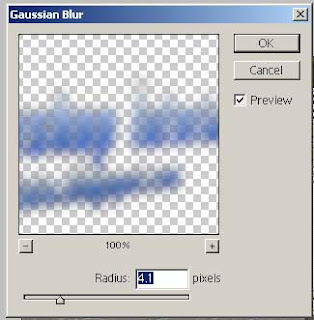
5. duplicate the layer..and add gaussian blur filter...

graffiti

6. finish...simple...isn't it??

Dragon Ball Effect

in the previous cool photoshop tutorial we have a kamehameha (dragon ball 2009) effect, now let's try to make the ball of yellow dragon ball...this is one of amazing tutorial i ever made....lets try...
1. open your hand image...
2. make a new layer (Shift+Ctrl+N), then make a circle (ball) selection using this tool


3. then fill that selection using filter>render>clouds (the default color is black and white)


4. then go to filter>liquify, and make distort arround the ball
5. change the blend mode to hard light


6. duplicate that layer, 4 times...by pressing Ctrl+J


7. in the one of these layer, add outer glow with yellow color for outer effect, and use hue/saturation (colorized) to change the ball color


8. in the active layer, add the stars using brush tool
9. and you finished this tutorial...simple, isn't it? (^_^)

adding image on shirt

t-shirt effect
this cool photoshop tutorial try to show you how to add image on your shirt, if you understand how to make realistic flag before, i'm sure that you can do this effect...this tutorial simple and easy to do...let's try it...
1. first, open your shirt object
2. then add the image on your shirt like this
3. use brush tool to make shadow effect, and don't forget to change the color similar with shirt color
4. make your shadow like this
5. then add gaussian blur with this range
6. change the opacity to 60%
7. finish!!!simple, isn't it??